

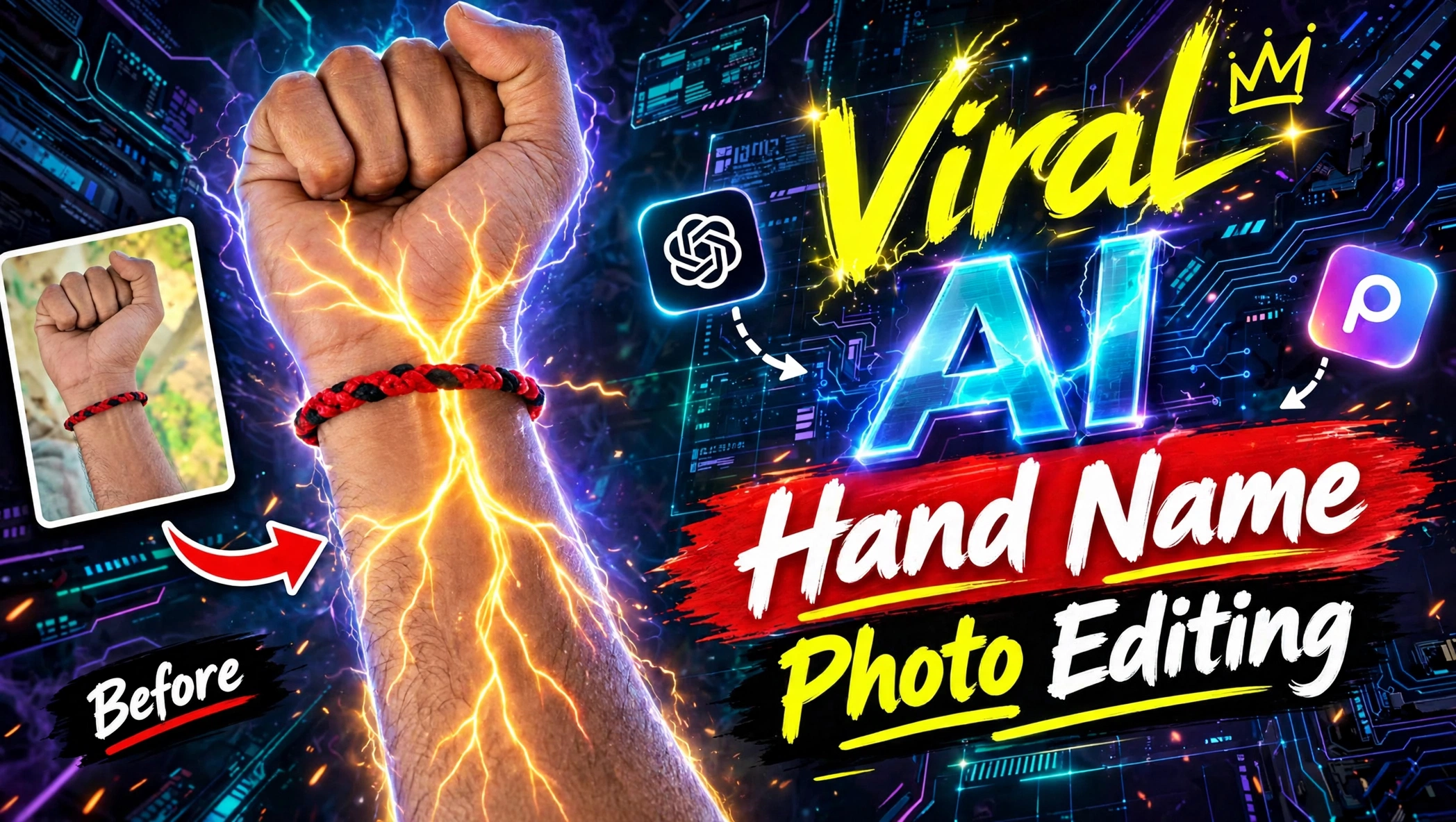
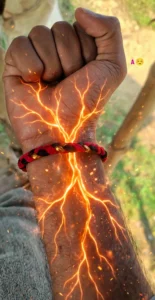
You have seen the format already if you spend any time on Reels: a normal hand photo, held still for a second, and then something impossible happens. Light starts crawling up the wrist like glowing veins. The camera dives into one of those glowing lines, and suddenly you are inside a tunnel — and your letter, just one letter, is floating there in 3D, again and again, drifting past the camera.
That is the hand name video trend, and the whole trick is that the first half of it is real. The tool does not invent a hand. It uses yours — your fist, your watch, your sleeve — and only then switches into the computer-generated tunnel. Get the opening photo right, pick one letter and stick to it, and the video almost builds itself.
This post has one prompt, because the trend needs one prompt. It carries the full 10-second timeline inside it: real hand, glowing veins, tunnel dive, floating letters. Do not trim the timeline to make it shorter — that timeline is the video.
What the Finished Video Looks Like
Ten seconds, vertical. It opens on your hand exactly as photographed — fist closed, watch visible, background untouched. A faint red glow gathers under the watch. Thin red-orange lines start branching out from the wrist and spreading along the forearm, like light travelling under the skin.
The camera pushes in, follows one bright branch, and the real forearm dissolves into a fully CGI tunnel: deep red-orange, translucent strands, wave patterns, floating particles, sparks. And inside that tunnel, copies of your chosen letter float at different depths and sizes, turning slowly in 3D, some passing close to the camera, some deep in the distance. The camera keeps travelling forward the whole time, so the last shot feels like flying through your own letter.
One practical point before the prompt: this only works with a single letter. Not a name, not two initials, not a word. The prompt below says this in three different ways, and still, on a bad generation, the tool will try to sneak in extra letters. Check the tunnel frames, not just the opening hand.
The Hand Photo You Upload Decides Most of This
People blame the prompt when a hand video fails. Most of the time it is the photo.
Use a clear photo of your hand and forearm, fist closed, wristwatch clearly visible. Sleeve, arm hair, skin tone, background — all of that is the reference the tool protects in the opening seconds, so a sharp photo gives it something to protect. A blurry hand photo gives it a blurry hand, and no prompt wording fixes that.
Do not upload a different hand for a second attempt and expect consistency. Same hand, same photo, new generation. And keep the watch in frame: it is the anchor point where the glow starts, and videos where the watch gets cropped out usually lose the whole opening sequence.
How to Create This Video
- Open an AI video generator that accepts an image upload and a text prompt.
- Upload your hand photo as the reference frame. Fist closed, watch in frame, sharp and well-lit.
- Click Copy Prompt above and paste the full prompt, timeline included.
- Replace [YOUR LETTER] with your single letter before you generate. Do this in the prompt text, not in your head — a forgotten placeholder is the most common reason a tunnel comes out letterless.
- Set the output to vertical 9:16 and 10 seconds in the tool as well. The prompt asks for it; the setting backs it up.
- Generate, then watch all ten seconds before downloading. Judge it in this order: hand matches, glow starts under the watch, tunnel transition is smooth, letter is the same letter in every frame.
- Download the clean result. If you want trending audio on top, add it later inside the Reels editor — the prompt already builds its own electronic ambience, so do not stack a second loud track over it unless you mute one of them.
This reference-first, generate-second flow is the same one behind my helicopter entry AI video prompt — a clear reference goes in, a detailed timeline does the rest.
Small Habits That Keep the Letter Readable
One letter, checked three times. Before generating, read the prompt back: the placeholder is replaced, and it is replaced with one character only. Two initials read as a word to the tool, and the tunnel will start inventing words.
Check the tunnel, not just the hand. Most people approve a video after the first two seconds. The failures live at seconds 7 to 10: a wrong letter, a mirrored letter, a letter melting into a symbol. Watch the end first.
Keep the hand still in your mind. The opening is supposed to be boring — same fist, same watch, same background. If the hand starts moving or reshaping before the glow, that generation is already off-script.
Let the audio do its job. The hum, the rising energy and the tunnel whoosh are part of the payoff. A generation with good visuals and a silent or mismatched track will still feel flat on Reels.
When the Video Comes Out Wrong
A different letter appears in the tunnel. The tool guessed instead of following. Regenerate with the same photo and prompt; if it repeats, try a simpler, very common letter first to confirm the tool handles letters at all, then switch to your letter.
Extra words or symbols float in the tunnel. Almost always the placeholder was left in, or the prompt was trimmed. Re-paste the full prompt and replace the placeholder properly before generating again.
The hand is replaced by a different hand. Your photo was too dark, too cropped, or the watch was out of frame. Re-upload a clearer hand photo with the watch visible and retry — do not try to fix it by editing the prompt.
The tunnel cut is sudden, not a dive. The 4-5 second push-in was skipped. Regenerate; if it happens twice, start a fresh project, re-upload the photo and paste the prompt again, exactly as written.
The glow looks like an injury, not energy. The skin broke or reddened in patches. That generation is a reject — the prompt forbids wounds and damage, so do not post it hoping nobody notices. A fresh generation usually cleans it up.
The video is silent or the sound is wrong. The visual prompt survived but the audio instruction did not. Add a clean electronic ambience track in your Reels editor rather than regenerating a perfect visual just for sound.
FAQs
Is this hand name video free to make?
You can make it on a free video-generation account — the whole edit is one photo and one prompt. Free usage comes with limits, so pick your best hand photo and your letter first instead of burning attempts on test images.
Can I use a full name instead of one letter?
No, not with this prompt. It is built for a single letter repeated through the tunnel. A full name turns into garbled or partial letters in most generations. If you want two people, make two videos — one letter each — and post them as a pair.
Can girls use this prompt too?
Yes. Nothing in the prompt is gender-specific. The hand, the watch and the sleeve are all taken from your own photo, so the result follows whoever uploads it.
Why does my letter keep changing in the tunnel?
Letters are hard for video models to hold steady across frames. The prompt repeats the letter rule several times for exactly this reason. If it still drifts, regenerate rather than accepting a video where your letter becomes someone else’s.
What if I do not wear a watch?
The prompt uses the watch as the glow’s starting point. A bracelet, a ring, or even a bare wrist still works, but the opening will be less anchored. For the strongest version, wear a watch in the photo — it gives the glow a clear place to begin.
Should I add music on top of the video?
The prompt already includes cinematic electronic ambience with a whoosh for the tunnel. Add trending audio in the Reels editor only if you are willing to lower or mute one track — two competing soundtracks make the tunnel moment feel noisy instead of cinematic.
