

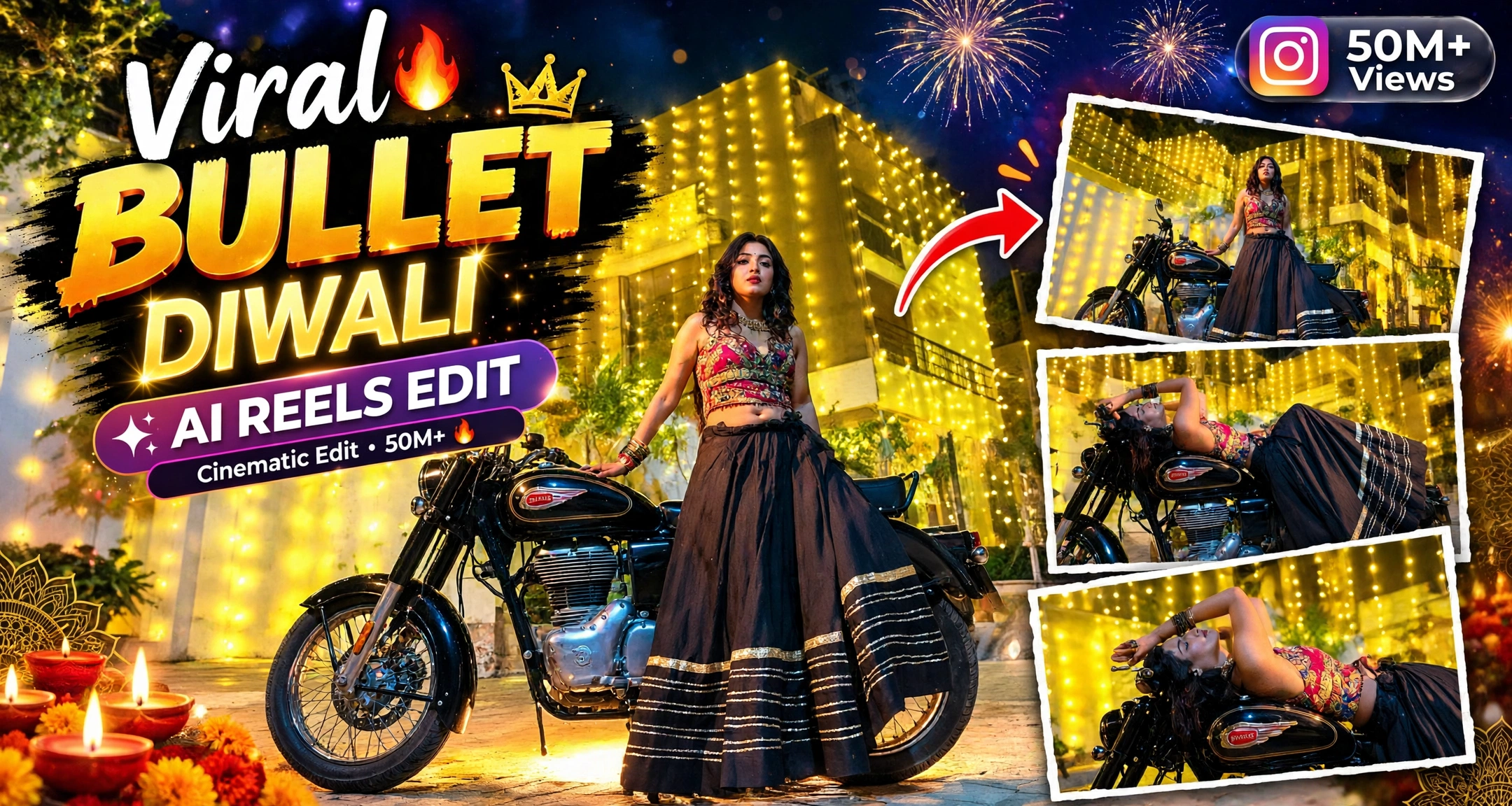
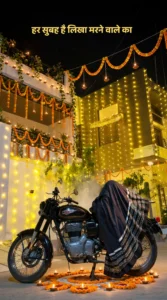
You have seen this one on Diwali feeds: night, buildings covered in warm golden fairy lights, a black Bullet standing parked on a street, and a girl sitting on it, then lying back across it, completely calm, hair falling down, while the lights glow around her. No riding, no stunts, no complicated choreography. Just a parked bike, a night sky, a moon, and a pose that looks like a still photograph come gently to life.
That simplicity is why it travels. You do not need to shoot anything. You do not need to wear the outfit — the AI dresses you in it. You do not even need to edit. You need one clear photo of yourself, one reference video, and one prompt that copies that reference video frame by frame, changing only the person.
This post has one prompt, because the trend needs one prompt. It is a reference-video transfer prompt: @video1 is the master, @image1 is you. Everything else — bike, street, buildings, fairy lights, night sky, moon, lighting, cuts, on-screen text — stays exactly as in the reference. Only the person changes.
What This Video Actually Is
Two shots, ten seconds, one parked motorcycle.
Shot one, 0 to about 3 seconds: a low side view of the parked black motorcycle. The person sits sideways on the seat, facing the camera, one hand resting on the seat, looking down with a soft smile, relaxed. Around 3 seconds, the same quick dark blink transition as in the reference.
Shot two, 3 to 10 seconds: the person is now lying back across the motorcycle seat — back resting on the seat, legs stretched over the fuel tank toward the front of the bike, head tilted back over the rear, hair falling down, arms hanging relaxed, outfit draped over the bike. They slowly settle into this peaceful pose with eyes closed. At 6.6 seconds there is the same cut as in the reference, to a second, slightly lower and closer angle of the bike with the red tail light glowing. From 6.6 to 10 seconds, the person stays lying back peacefully in the same pose, completely calm, with only tiny natural movements — breathing, a little hair movement.
That is the whole video. No riding, because the bike is parked and the engine is off. No extra scenes. The calm is the point.
The same reference-video transfer logic is behind the couple coffee video in my viral Cofi trend couple coffee video prompt — copy the reference, change only the person.
The Photo and Reference Video You Upload
Two uploads, and the labels matter:
- @video1 — the muted reference video from the trend. This is the master. It controls camera position, angle, framing, distance, lens look, timing, the cut, the two shots, the motorcycle, the street, the fairy-lit buildings, the night sky, the moon, the lighting, and the on-screen text overlays. Use a muted copy, as the prompt asks — the final video is silent or near-silent anyway.
- @image1 — your photo. This is the only identity reference. The person in the video must be the exact person from this photo: same face, same facial features, same skin tone, same hairstyle and hair length, same body type, same gender and age. Use a front-camera or back-camera photo where your face is completely clear — the AI detects it and matches it, but it can only match what it can read.
Do not copy the original person from @video1. The prompt replaces the person in every frame, including frames where the head is tilted back, turned away, or partly hidden by hair. That last part matters: most face-swap failures in this trend happen in the lying-back pose, where the face is half-hidden and the tool quietly borrows the reference person’s face instead of yours.
Prompt 1 — Bullet Bike Night Reel (10 Seconds, Reference-Video Transfer)
The outfit is fixed by the prompt, so your photo’s clothes do not matter — and that is a feature, not a bug. If @image1 is a woman or girl, she wears exactly the same outfit as the woman in @video1, copied one-to-one: a black lehenga / anarkali-style long dress with a very wide, flowing, floor-length flared skirt in black, with the same white-grey printed elephant and floral motifs and the same printed border bands near the hem, and the same black fitted top with long sleeves. Same pattern, same colours, same flare and volume. When she lies back, the wide printed skirt spreads and drapes over the motorcycle exactly like in @video1. If @image1 is a man or boy, he wears an all-black formal outfit: black formal full-sleeve shirt, black formal trousers, black belt, black leather formal shoes, with a black blazer optional. Clean, sharp, elegant, fully black.
The outfit is the same in every frame of both shots. No logos, no text on the clothes.
How to Create This Video in Google Flow AI
- Click Create Your Video, then New Project.
- Tap the Plus icon, then Upload Image. Upload your photo (@image1) and your reference video (@video1) here.
- Select your image and reference video, and paste the prompt you copied above.
- Click Adjust, and select the ratio 9:16 from the settings (16:9 is also offered, but the viral format is 9:16). Set the duration to 10 seconds.
- Click Send. Your video will be generated in a short while — do not send the same prompt twice while the first run is still going.
- Watch the whole ten seconds before saving. Check it against the reference, shot by shot: sitting sideways with a soft smile, blink transition at about 3 seconds, lying back with legs over the tank and hair falling, cut at 6.6 seconds to the lower closer angle with the red tail light, then peaceful lying to the end.
- Save the video. Add a song in the Reels editor if you want one — the generated video itself is silent, so your song choice stays clean.
The same parked-bike, hero-pose discipline, in a longer commercial form, is behind my trending 80s vintage retro cinematic video prompt — a bike, a hero, and a shot list that does not wander.
Small Habits That Keep This Reel Believable
Check the lying-back face, not the sitting face. The sitting pose is easy — face toward camera, well-lit, straightforward. The lying-back pose is where identity fails: head tilted back, partly hidden by hair, in dimmer light. If your face holds there, it holds everywhere.
Let the bike stay parked. This trend is not a riding video. If a generation shows the bike moving, rolling, or the person riding it, it has invented a scene that is not in the reference. Regenerate — do not try to rescue a moving bike with a caption.
Watch the skirt drape. For the women’s outfit, the wide printed skirt spreading and draping over the motorcycle in the lying-back pose is the visual signature of this trend. A generation where the skirt stays bunched or disappears has lost the outfit, even if the face is right.
Keep the lights warm and golden. The fairy-lit buildings are the whole background. A generation with cold, white or blue street lighting has changed the reference’s night. Regenerate rather than accepting a different night.
When the Video Comes Out Wrong
The face in the lying-back pose is the reference person’s, not yours. The most common failure in this trend, and the prompt explicitly forbids it. Re-upload a clearer photo and re-paste the full prompt, with the identity lines intact — especially the line about frames where the head is tilted back or partly hidden.
The outfit copies your photo instead of the fixed outfit. Your photo’s clothes were used. Make sure the fixed-outfit section is pasted in full, and that @image1 is labelled as the identity reference only, not as a wardrobe reference.
The bike changes shape or colour. The motorcycle reference was unclear, or the prompt was shortened. Re-paste the full prompt and make sure @video1 clearly shows the black retro cruiser.
The cut at 6.6 seconds is missing, or a new shot appears. The two-shot structure was ignored. Re-paste the complete prompt with timing intact, and check the result against the reference, shot by shot.
The video has dialogue, singing or lip-sync. The reference is silent, and the prompt forbids it. Regenerate; if it repeats, mute the generated audio in editing and post it silent or with your own song, as the trend intends.
The on-screen text is wrong or missing. The text overlays must match @video1 — same words, same style, same position, same timing. If a generation drops them, regenerate with the full prompt; do not add your own text over the top, which will clash with the reference’s timing.
FAQs
Do I need to shoot a video or wear the outfit myself?
No. That is the point of this trend. You upload one clear photo and one reference video, the AI dresses you in the fixed outfit and places you on the bike, and the video comes out ready to post. No shoot, no costume, no editing in advance.
Can boys use this prompt too?
Yes. The prompt includes a fixed outfit for men as well — all-black formal shirt, trousers, belt and leather shoes, with an optional black blazer. The bike, the night and the two shots stay the same.
Is this video free to make?
Flow AI offers free usage with limits that change over time, depending on your account and credits. Check your current allowance before generating, and use your best photo first rather than testing on random images.
Why does my face look right sitting, but wrong lying back?
Because the lying-back pose hides part of the face and tilts it away from the camera, which is exactly where video models borrow the reference person’s face. A sharper source photo and a fresh regeneration with the full identity lines usually fix it.
Can I make it longer than 10 seconds?
The prompt is written for the reference’s exact 10 seconds and two shots. A longer version would need a new prompt built around additional shots, not a longer setting on this one — extending the lying-back pose beyond 10 seconds just makes a calm video feel frozen.
Should I add a song?
Yes, in editing. The generated video is silent by design, so your song, added in the Reels editor, will sit cleanly over the night scene without fighting dialogue or lyrics from the generation.
