
Close Menu
Prompt Pao

    Subscribe to Updates

    Get the latest creative news from FooBar about art, design and business.

    What's Hot

    Viral Behind The Scenes Shark AI Video Edit – Image + Video Prompts (2026)

    October 31, 2026

    Viral AI Girl Transformation Diwali Video Editing Prompt (2026)

    October 31, 2026

    Viral Girl On Bullet Bike AI Video Edit – Diwali Bullet Reel Prompt (2026)

    October 31, 2026
    Facebook X (Twitter) Instagram
    • Home
    • Ai Photo Editing
    Facebook X (Twitter) Instagram
    Prompt Pao
    Subscribe
    • Home
    • Ai Photo Editing
    Prompt Pao
    Home»Ai Photo Editing»Viral Shah Rukh Khan Girl’s & Couple AI Dance Video Editing Prompt (2026)
    Ai Photo Editing

    Viral Shah Rukh Khan Girl’s & Couple AI Dance Video Editing Prompt (2026)

    Rohan SharmaBy Rohan SharmaOctober 29, 2026No Comments13 Mins Read
    Facebook Twitter Pinterest LinkedIn Tumblr Email
    Share
    Facebook Twitter LinkedIn Pinterest Email

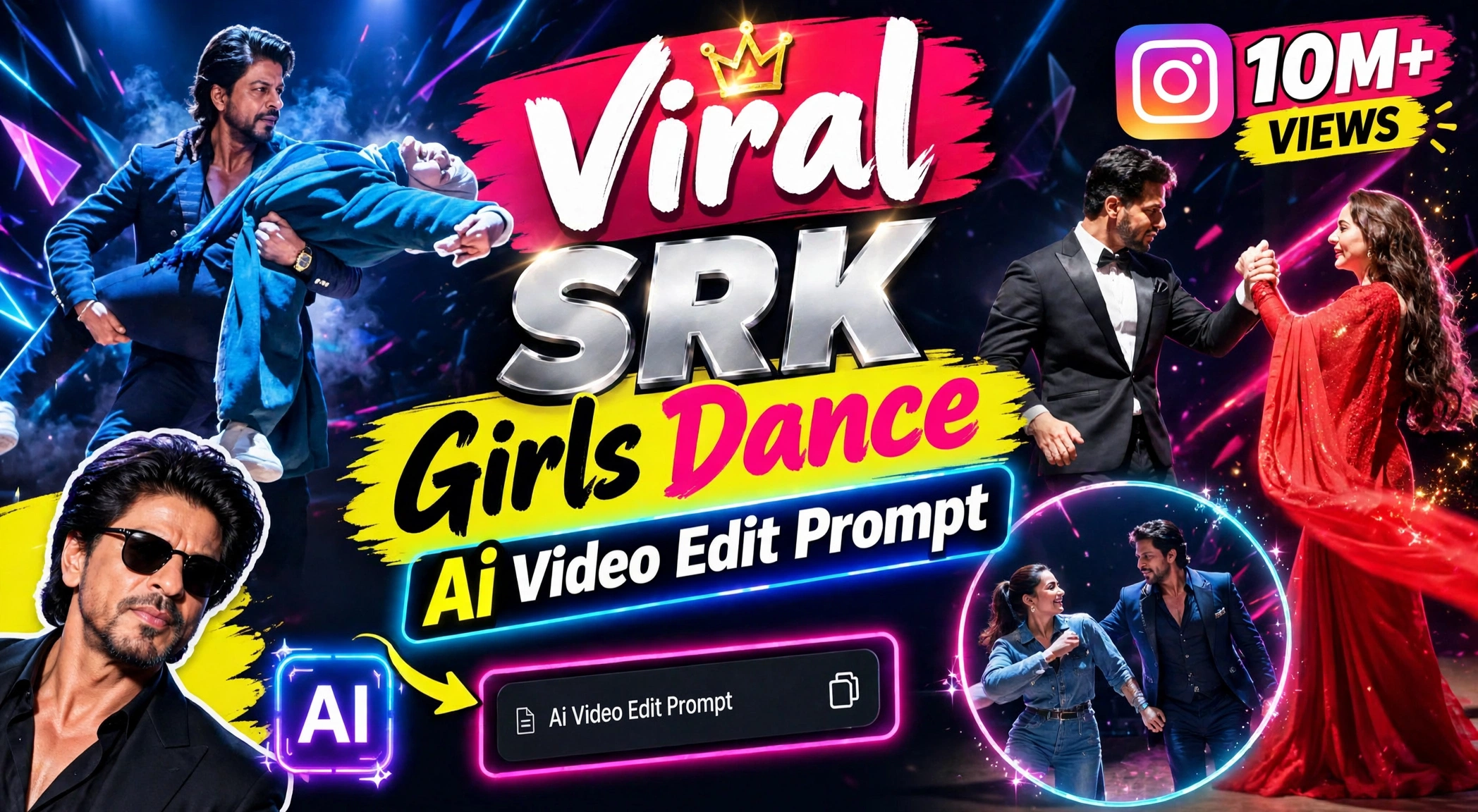
    Bollywood dance edits have a different kind of pull from other AI trends. A car entry is impressive for ten seconds. A dance tells a story — two people walk in together, look at each other, spin, dip, lift, and end in an embrace — and when it is done well, viewers genuinely cannot tell at first glance that it was generated. That is why the Shah Rukh Khan-style dance videos keep travelling: the audience already knows the romance, the spotlight, the slow-motion turn, before the first frame even plays.

    This article gives you both versions that are going viral right now. Prompt 1 is the couple dance: you and your partner, two photos, seven scenes, one spotlight stage. Prompt 2 is the fan dream version: a girl dancing alongside Shah Rukh Khan himself, on a grand golden Bollywood stage. Same workflow for both — two clear photos (or one, for Prompt 2), one prompt, vertical video, and a check for the one thing that ruins dance videos: faces that drift mid-spin.

    A practical note before you start: use front-camera photos, no filters, faces clearly visible. Rear-camera shots that look fine as photos often lose facial clarity when a video model has to hold that face through a 360-degree spin. The photo you upload is the face the video will wear for every scene.

    Prompt 1 — Couple Dance Video (7 Scenes)

    Upload one photo of him and one of her. The prompt protects both identities through all seven scenes — same faces, same bone structure, same body types, no blending, no morphing, even during the spins and lifts. That is a hard job for a video model, which is exactly why the prompt repeats the identity rule: if it drifts once, the whole video reads as two strangers.

    Outfits are fixed by the prompt, so your photos’ clothes do not matter: he wears a black textured blazer over a black button-down shirt and black trousers, barefoot; she wears a teal-green long coat, a blue-and-grey striped scarf, black trousers and beige ankle boots, with long open flowing hair. The stage is fixed too — a dimly lit circular wooden stage, one dramatic spotlight from above, deep black background, warm skin tones against glowing blue-white stage light.

    The same identity-through-movement discipline is what makes the existing Shah Rukh Khan AI dance video prompts on this site work — faces first, choreography second.
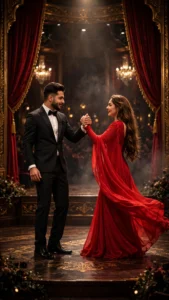
    Create a cinematic, ultra-realistic 4K/8K video in vertical 9:16 of a young man and a young woman performing an emotional, expressive dance together. OUTFITS: He wears a black textured blazer over a black button-down shirt and black trousers, barefoot. She wears a teal-green long coat, a blue-and-grey striped scarf, black trousers and beige ankle boots, with long open flowing hair. STAGE AND LIGHT: A dimly lit circular wooden stage. One dramatic spotlight shines down on them from above against a deep black background. Theatrical, premium cinematic look with rich full color grading – warm skin tones, deep blacks, glowing blue-white stage light. Full color, not desaturated or dull. Smooth, fluid, slow-motion quality through every movement. IDENTITY, CRITICAL: Use my two uploaded reference photos as the exact identity source for each person. Any two people can upload their own photos and generate this video with their own likeness. Keep the same faces, same exact facial features, same exact bone structure, same natural skin and same exact body types and builds as shown in the uploaded photos, maintained precisely and identically in every single scene, with zero facial drift, zero identity change and zero morphing between scenes for either person. Each face must remain exactly the same from Scene 1 through Scene 7, never shifting, blending or turning into a different face, even during fast movement, spins or lifts. The generated faces, skin and bodies must always match the uploaded photos exactly, never generic or different faces. SCENE 1, WIDE SHOT: They hold hands and walk together smoothly onto the centre of the dimly lit stage, her long hair flowing naturally over her shoulders, a single spotlight glowing above them, warm intimate connection, deep black backdrop, gentle unhurried pacing. SCENE 2, MEDIUM SHOT: They stand facing each other, hands clasped together, gazing warmly into each other’s eyes, her hair softly framing her face, soft spotlight illuminating their faces against the dark stage, calm smooth stillness. SCENE 3, WIDE SHOT: They raise their joined hands together in a smooth joyful gesture, both smiling, spotlight glowing warmly above them, her hair catching the light, fluid graceful motion. SCENE 4, DYNAMIC FULL-BODY WIDE SHOT: He holds her close and smoothly lifts her as he spins her in one continuous, fluid, full 360-degree rotation around himself. Her long open hair flies outward and swirls gracefully with the full turn, her teal coat and scarf flare outward at the same time, her feet lift off the ground as she completes the entire seamless circular rotation around him, both moving in perfect fluid sync on the wooden stage. Camera smoothly circles to capture the complete 360-degree spin without any jarring motion. SCENE 5, WIDE SHOT: They stand with arms spread wide apart while holding hands, leaning back smoothly in a joyful, free-spirited pose, her hair gently flowing with the motion, warm spotlight glowing above them. SCENE 6, DRAMATIC WIDE SHOT: He smoothly dips her gently backward in a graceful classic dance dip. Her long hair cascades downward toward the floor as she leans back, one leg lifts gracefully off the ground with her boot pointed, her coat drapes elegantly as he supports her fully with both arms in one fluid controlled motion. Intimate romantic moment under the spotlight. Then he smoothly and gently lifts her back upright. SCENE 7, FINAL EMOTIONAL SHOT: He smoothly lifts her fully off the ground into his arms, cradling her securely, and rotates in one continuous, fluid, full 360-degree turn while carrying her. Her hair and coat both fly outward gracefully throughout the entire seamless rotation, her legs lift gracefully with the spin, both smiling warmly at each other. As the rotation completes, he gently and smoothly lowers her into a warm close embrace, her hair settling softly around her shoulders as they hug, one foot lifted off the ground, spotlight glowing softly around them, cinematic slow zoom-out to finish. OVERALL STYLE: Same faces, same identities, same natural skin, same exact body types for both people as shown in their uploaded reference photos, same black blazer-and-trousers outfit for him and teal-green coat with scarf and long open flowing hair for her, consistent in every single scene. No outfit change, no identity, body or facial change for either person in any scene. Same real dimly lit circular stage location with dramatic spotlight throughout. Smooth, fluid, graceful full-body dance movement including full seamless 360-degree spins, twirls, dips and lifts, exactly matching an expressive live dance performance, with her hair and coat both dynamically flying and flowing gracefully during every turn and spin. No jerky or abrupt motion anywhere. Realistic skin and fabric texture, rich full premium cinematic color grading with warm tones, deep blacks and glowing spotlight highlights – full natural color, not faded or desaturated. Filmic depth and contrast, smooth cinematic transitions between poses, ultra-realistic premium 4K/8K quality, vertical 9:16 format, continuous emotional story flow from start to end. No scene skipped. Only 7 scenes total, exactly as described.

    Best For: Couple dance Reels, anniversary and romantic edits, spotlight-stage dance videos

    Recommended Aspect Ratio: 9:16 vertical

    Customizable Elements: The two people’s photos — keep outfits, stage, lighting and the 7-scene order fixed

    Prompt 2 — Girl Dancing With Shah Rukh Khan

    This one needs only the girl’s photo — the dance partner is Shah Rukh Khan himself, as a recognisable, realistic Bollywood performer, not a generic actor. The scene changes completely from Prompt 1: instead of a single spotlight on a black stage, you get a grand cinematic Bollywood stage, warm golden lighting, realistic crowd ambience and soft background lights. The dance itself is simpler than the couple routine — smooth, elegant Bollywood steps, natural hand movements, coordinated steps, subtle smiles — because the spectacle here is the stage and the pairing, not a sequence of lifts.

    Present this one honestly when you post it: it is an AI fan edit, a dance imagined with SRK, not footage of a real performance. Viewers love these videos precisely because they look real; that is also why labelling them matters.

    If you want the hero-entry version of this same star-driven idea, the free Thalapathi Vijay helicopter entry AI video prompt uses the same two-step, reference-first discipline, just with a quarry instead of a stage.
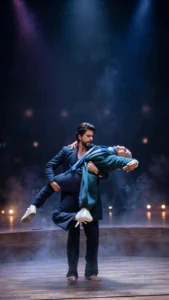
    Create an ultra-realistic cinematic video of the girl from my reference photo dancing naturally alongside Shah Rukh Khan. Keep her face, facial features, skin tone, hairstyle and overall appearance exactly consistent with the reference image, in every frame. Shah Rukh Khan should look realistic and recognisable, with natural facial expressions and authentic body proportions – a real Bollywood performer, not a generic actor and not a cartoon version. Both perform a smooth, elegant Bollywood dance together, with natural hand movements, coordinated steps and subtle smiles. Their movement must feel like a live dance, not a posed slideshow: weight shifts, turns and gestures flow into each other, and neither dancer freezes between moves. Set the scene on a grand cinematic Bollywood-style stage, with warm golden lighting, realistic crowd ambience and soft background lights. Add natural hair and clothing movement, realistic shadows, accurate body motion and subtle camera movement. The camera should feel like a professional stage camera – steady, purposeful, gently following the dance, never shaking or jumping randomly. Make the whole thing look like a professionally filmed Bollywood dance performance: rich warm color, clean skin and fabric detail, believable light on both dancers, and the girl’s identity held steady from the first frame to the last.

    Best For: Fan dance Reels with Shah Rukh Khan, birthday and celebration edits, Bollywood-stage videos

    Recommended Aspect Ratio: 9:16 vertical

    Customizable Elements: The girl’s photo, dance mood (elegant/romantic) — keep SRK’s recognisable look and the grand stage fixed

    How to Create These Dance Videos in Flow AI

    1. Copy the prompt you want from the box above — Prompt 1 for the couple dance, Prompt 2 for the SRK dance.
    2. Open Flow AI and click Generate Video.
    3. Upload your photos in the prompt’s order. Prompt 1: his photo and her photo, both clear and front-facing. Prompt 2: the girl’s photo only.
    4. Paste the prompt in full. Do not shorten Prompt 1 — its identity lines are what hold both faces through the spins and lifts, and cutting them is how you get a stranger in Scene 4.
    5. Select vertical 9:16, then send it. Generation takes a little while; do not send the same prompt twice while the first run is still going.
    6. Watch the whole video before downloading. For Prompt 1, check the faces in Scene 4 (the spin) and Scene 7 (the lift) — those are where drift shows. For Prompt 2, check the girl’s face across the whole dance, and whether SRK stays recognisable rather than generic.
    7. Download the clean result. Add trending audio in the Reels editor if you want it, and label Prompt 2 clearly as an AI fan edit when you post.

    Flow AI works on credits, and free allowances change, so check what your account currently allows before you burn a run on a test photo. Use your best photos first.

    When the Video Comes Out Wrong

    A face changes during a spin or lift. The most common dance-video failure, and the prompt already forbids it — but forbidding is not fixing. Regenerate with sharper, front-facing photos. If it repeats on the same spin, generate that section’s spirit again from scratch rather than accepting a video where your partner becomes someone else mid-turn.

    The dance looks jerky or frozen between poses. The tool dropped the flow between scenes. Re-paste the full prompt, especially the “smooth, fluid” lines, and regenerate. Do not try to hide jerky movement with fast cuts — viewers notice the cuts more than the jerk.

    The outfits change mid-video. Your photos were too different in lighting, or the prompt was shortened. Re-upload matched, well-lit photos and re-paste Prompt 1 in full, with the outfit lines intact.

    SRK looks generic, not recognisable (Prompt 2). The model defaulted to a safe, anonymous performer. Regenerate; if it repeats, use a clearer reference description in your own words around the prompt — but do not paste a real person’s photo you do not own as a reference.

    The stage looks flat or dull. The lighting lines were lost. Re-paste the full prompt, and check that you did not accidentally generate in a low-quality or low-resolution setting, which washes out exactly the spotlight and golden tones these videos depend on.

    The video is silent. Add your song in the Reels editor. The prompts here are written for visuals and movement; audio is an editing step, not a generation step.

    FAQs

    Do I need a reference video, or just photos?

    Just photos for both prompts in this article. Prompt 1 needs two photos, Prompt 2 needs one. A reference video helps for some other dance formats, but these two prompts are written to build the choreography from the scene descriptions themselves.

    Can I make the couple dance with my husband or boyfriend?

    Yes — that is exactly what Prompt 1 is for. Upload his photo and your photo, and the video uses your two likenesses. The process is the same as the reference describes, and the result is a couple dance, not a celebrity edit.

    Is it really possible to dance with Shah Rukh Khan using AI?

    As an AI fan edit, yes — Prompt 2 generates a dance alongside a realistic, recognisable SRK-style performer. It is not real footage, and it should be posted as an AI edit, not presented as a genuine performance.

    Is Flow AI free for these videos?

    Flow AI offers free usage with limits that change over time. Check your account’s current allowance before generating, and use your best photos first rather than testing on random images.

    Why does my partner’s face look different in the lift scene?

    Lifts and spins are the hardest moments for identity. The prompt repeats the identity rule for exactly this reason. Sharper source photos and a fresh regeneration fix most cases; accepting a drifted lift and hoping nobody notices does not.

    Which prompt should I try first?

    Two photos, or one, and a prompt that refuses to let faces drift. Start with the SRK dance for a fast win, then graduate to the seven-scene couple dance when you have two sharp photos ready. And judge every result the way a viewer will: do the faces stay yours through the spin, does the dip feel controlled, and does the final embrace land? If all three hold, post it.

    Share. Facebook Twitter Pinterest LinkedIn Tumblr Email
    Rohan Sharma
    • Website

    Related Posts

    Viral Behind The Scenes Shark AI Video Edit – Image + Video Prompts (2026)

    October 31, 2026

    Viral AI Girl Transformation Diwali Video Editing Prompt (2026)

    October 31, 2026

    Viral Girl On Bullet Bike AI Video Edit – Diwali Bullet Reel Prompt (2026)

    October 31, 2026
    Add A Comment
    Leave A Reply Cancel Reply

    Editors Picks
    Prompt Pao
    Facebook X (Twitter) Instagram Pinterest Vimeo YouTube

    © 2026 Prompt Pao. All Rights Reserved

    Type above and press Enter to search. Press Esc to cancel.