

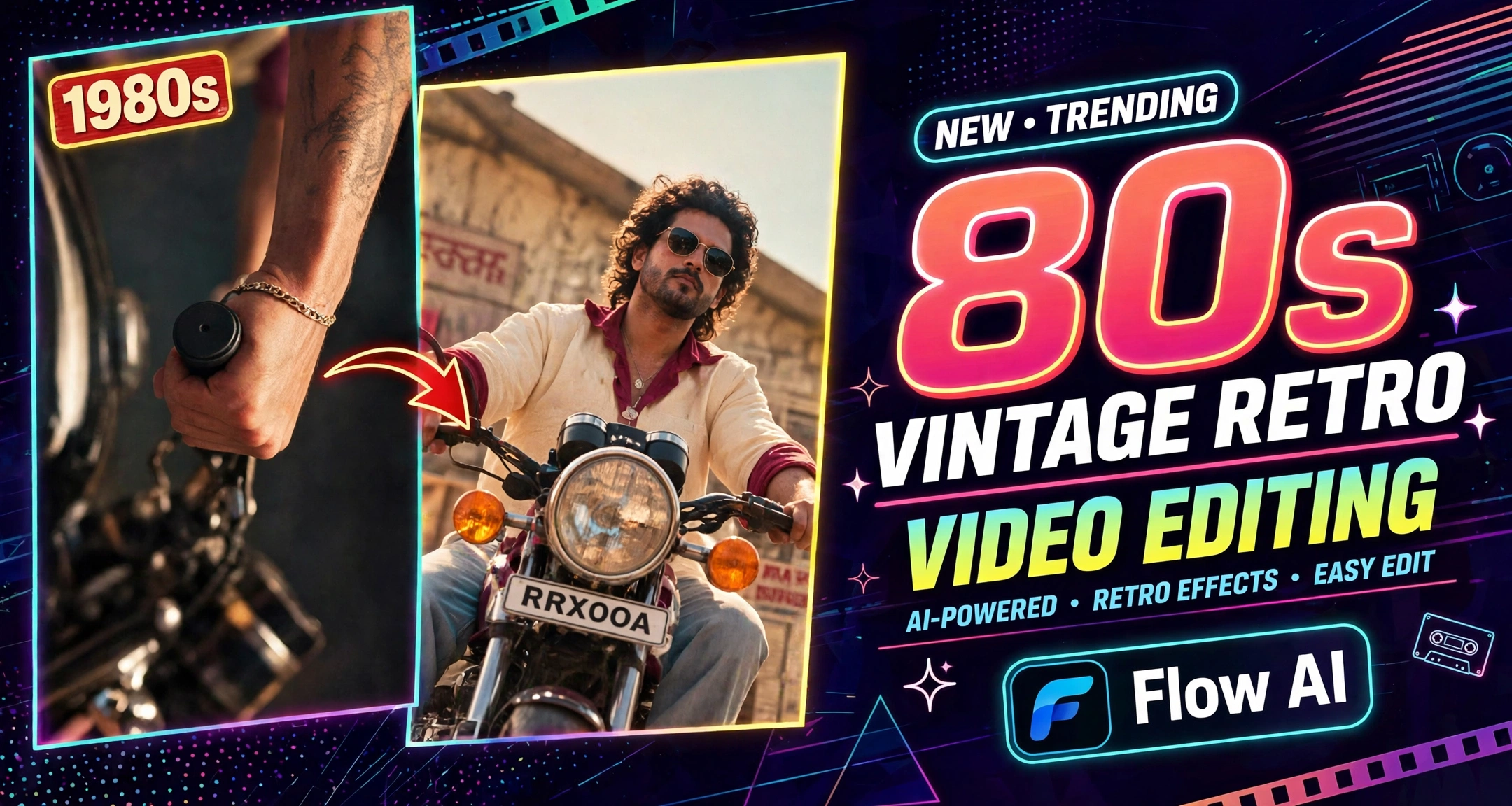
First it was the 80s retro photo. Now it is the 80s retro video — and the difference is not small. A photo can fake a decade with a filter. A video has to sell it with movement: a bike rolling through a market, dust in golden light, a shop counter full of glass bottles, a rider who looks like he belongs in that street. When it works, it does not look like an edit at all. It looks like a clip from an expensive old Indian commercial, starring you.
This post has one prompt, because the trend needs one prompt — but it is a long one. Ten shots, timed to the tenth of a second, from a macro close-up of a motorcycle footrest to a wide sunset ride into the distance. Do not trim the shot list to make it shorter. The shot list is the video. Cut a shot and you cut the story: bike, hand, approach, market, shop, face, bottle, sunset, ride away.
All you need is one clear selfie, the prompt below, and any AI video tool. The rest is timing, and a check for the one thing that ruins retro videos: a face that looks modern and polished while everything around it looks like 1980.
What an 80s Retro Video Actually Is
It is not just a sepia filter. An 80s vintage retro video rebuilds a whole world: the outfits, the hairstyles, the bikes and cars, the shopfronts, the signage, the dust, the light. People want to see themselves inside that world — the world their grandparents lived in — because the world itself is the nostalgia, not just the clothes.
That is why the prompt below spends as much time on the street as on the rider. Faded Hindi signage, weathered walls, pedestrians in traditional clothing, colorful shops, dusty air — without that background, the hero shot is just a man on a bike. With it, the bike becomes a time machine.
The same retro world, in a shorter form, sits behind the existing 80s vintage retro AI video prompt on this site — this new version is the full commercial version of that idea, with a motorcycle, a market and a sunset.
The Photo You Upload
Use one clear selfie, face fully visible, good light, no heavy filter. The prompt protects your exact facial identity, structure, skin tone, hairstyle characteristics and body proportions through every shot, and it refuses to morph you into a different person — but it can only protect what it can read. A dark, blurry or side-profile selfie gives it nothing solid to hold onto through ten cuts and three lighting changes.
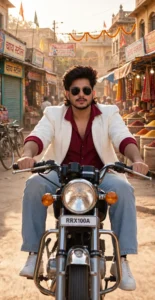
Your photo’s clothes do not matter much here, because the prompt dresses you: off-white/cream traditional shirt or kurta, a strong deep-red scarf or stole, a slightly loose vintage silhouette, and dark aviator sunglasses in the later hero shots. What matters is your face, and that it stays the same face from the footrest close-up to the sunset silhouette.
Prompt 1 — 80s Vintage Retro Cinematic Motorcycle Commercial
Upload your photo as the identity reference, and if your tool asks for a reference video, upload that too — the prompt recreates its visual language, shot progression, camera choreography and cinematic feeling, but replaces the original actor with you. Read the shot list once before you generate, so you know what to check afterwards: the video should move from detail to hero to street to shop to sunset, in that order, without skipping.
How to Create This Video in Flow AI
- Copy the prompt from the box above.
- Open Flow AI and click Generate Video.
- Upload your selfie as the identity reference, and the reference video if the tool asks for one.
- Paste the prompt in full. Do not shorten it — the ten shots, the wardrobe lines and the identity lines are all doing work, and cutting any of them is how you get a modern-looking rider in a retro street.
- Select vertical 9:16, then send it. Generation takes a little while for a 25-second commercial; do not send the same prompt twice while the first run is still going.
- Watch the whole video before downloading. Check it shot by shot against the list above: footrest macro, hand on throttle, frontal approach, market reveal, bazaar tracking, shop stop, counter hero shot, bottle pickup, sunset drink, ride into the distance. A missing or swapped shot is a failed generation, not a style choice.
- Download the clean result. Add trending audio in the Reels editor if you want it — the prompt builds the visuals, the song is an editing step.
The same shot-list-first discipline is behind the viral Mercedes car boys AI video prompt — timestamps and shot order are not decoration, they are the edit.
Small Habits That Keep It Looking Like a Film, Not a Filter
Check the face in Shot 7, not Shot 1. Shot 1 is a sneaker; anyone can pass Shot 1. Shot 7 is the medium close-up at the counter, in dusty golden light, with background people out of focus. If your face holds there, it will hold everywhere else.
Let the street do half the work. The prompt spends five shots on the market, the bazaar and the shop for a reason. A generation where the background is a clean, empty road has lost the retro world, even if the rider looks right. Regenerate rather than accepting a clean background.
Do not add slow motion everywhere. The prompt asks for fast but elegant commercial editing with hard cuts and no excessive slow motion. Slowing the whole video in editing will fight that rhythm. If you slow anything, slow only the sunset ride — the last shot is built for it.
Keep the sunglasses late. The aviators only appear in the later hero shots. A generation where they appear from Shot 1 has ignored the wardrobe progression. It is a small tell, but viewers who know the trend will spot it.
When the Video Comes Out Wrong
The motorcycle changes shape between shots. The bike reference was unclear, or the prompt was shortened. Re-paste the full prompt and make sure the reference clearly shows a classic vintage motorcycle — chrome, round headlamp, analog parts.
My face looks different in the market shots. Your selfie was too dark, too filtered, or turned away. Swap in a sharper, front-facing selfie before you touch the prompt wording.
The hand on the throttle looks warped. The most common motorcycle-video failure, and no setting reliably fixes a bad hand. Regenerate with the same photo — a fresh run usually lands the hand cleanly.
A shot is missing or out of order. The shot list was trimmed, or the tool dropped a cut. Re-paste the complete prompt with all ten shots and their timings intact, and check the result against the list again.
Everything looks too clean and modern. The film grain, dust and faded colors were lost, usually because a low-quality setting washed them out. Regenerate at the highest quality your account allows, and do not upscale a clean-looking result hoping grain will appear.
The sunset ride feels disconnected from the market. The transition in Shot 9 was skipped. Regenerate; if it repeats, generate the market section and the sunset section as separate clips and join them in your editor with a hard cut, exactly as the prompt describes.
FAQs
Do I need a real motorcycle to make this video?
No. The motorcycle, the market, the shop and the sunset are all built by the AI from the prompt and your photo. You only supply the selfie and, if asked, the reference video.
Can girls use this prompt too?
Yes. The prompt is written for a male hero in the reference, but nothing in the structure — ten shots, market, shop, sunset — is gender-specific. Swap the wardrobe description in your own words if you want a different hero look, and keep the shot order intact.
Is Flow AI free for this video?
Flow AI offers free usage with limits that change over time. A 25-second commercial uses more generation time than a 10-second clip, so check your account’s current allowance before you run it, and use your best selfie first.
Why is my video only a few seconds long?
Some tools cap a single generation shorter than the prompt asks for. If that happens, generate the video in sections — market section first, sunset section second — and join them in your editor in shot order, with hard cuts between them.
Can I use an old Tata car or a Bullet bike instead?
The prompt is written for a classic vintage motorcycle, and changing the vehicle changes the choreography — the footrest macro, the throttle close-up and the frontal approach are all bike shots. For a car version, you would need a rewritten prompt built around the car, not a word-swap in this one.
Should I add a song?
Yes, in editing, not in generation. The prompt builds visuals and rhythm; the song is what turns a 25-second commercial into a Reel. Match the song’s beat to the hard cuts — bike detail, approach, market, shop, sunset — rather than laying it over the top at random.
